Ego Vehicle 초기화 설정 변경 방법
본 페이지는 직접 설정한 초기 상태(위치, 자세)로 Ego Vehicle을 Spawn하는 기능인 Ego Init Setting에 대해 설명한다.
Init Ego State (Initial Ego State: Ego 차량의 초기 설정)
Init Ego State 는 해당 맵에 적용된 Ego Vehicle 의 초기 상태를 편집/저장/저장한 초기 상태를 불러오기 하기 위한 기능이다. i Key 입력 시, Ego Vehicle 은 해당 맵에 설정된 초기 상태로 돌아간다. 초기 상태 변경이기에 맵 진입 시에도 설정된 초기 상태로 Ego Vehicle 이 Spawn 된다.
본 기능은 해당 맵에 사용 가능한 Ego Vehicle 의 초기 상태를 편집/저장/불러오기 하는 기능이고, 현재 실행 중인 시뮬레이션 인스턴스에 Ego Vehicle 의 초기 상태를 변경하는 기능이다.
Edit Init Ego State
Edit > Map Init Settings > Edit Init Ego State 로 진입하여 Initial Ego State 설정함
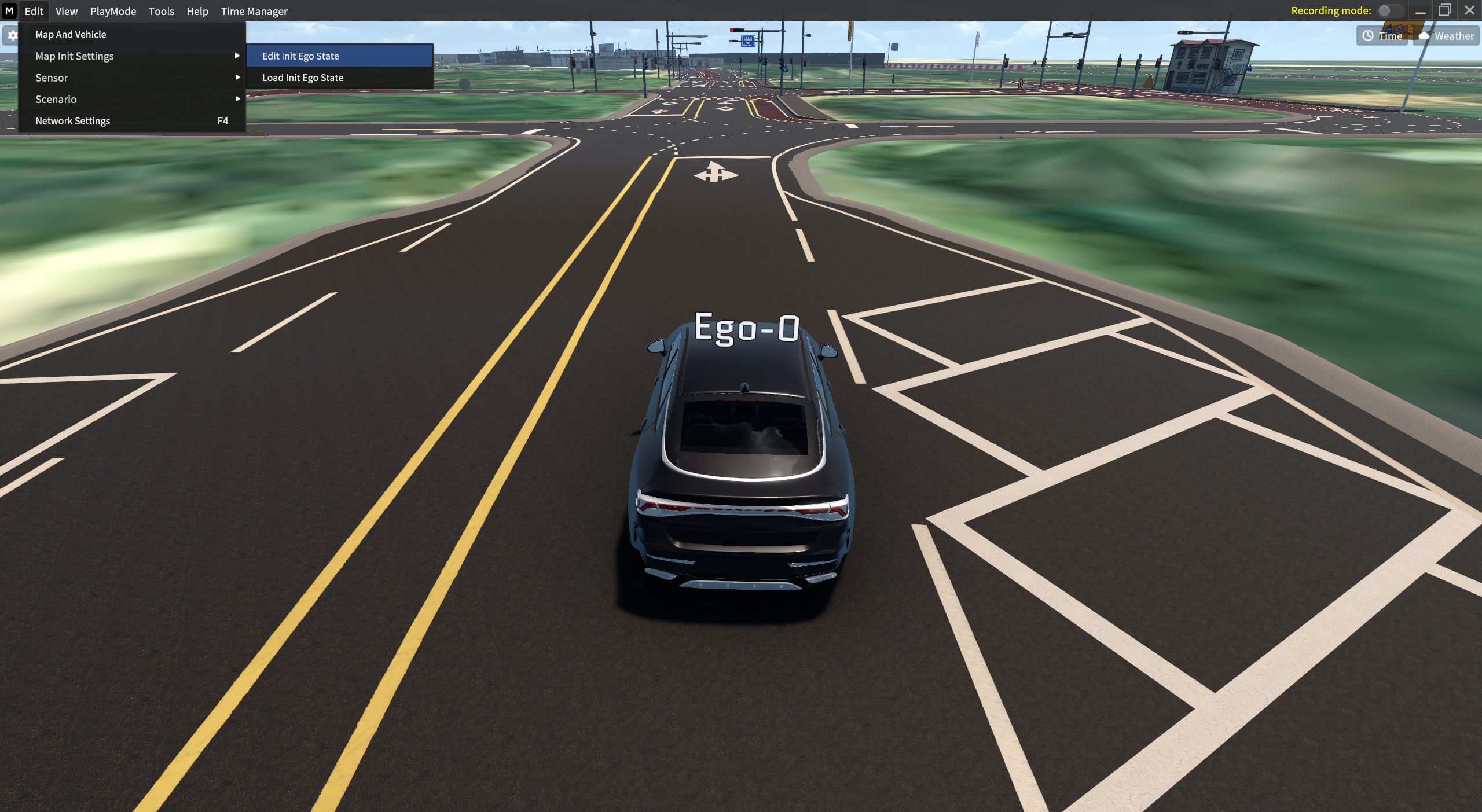
Edit Init Ego State
Initial Ego State 설정
기존 Ego Init State 를 변경하기 위해, Dummy 차량을 생성하여 Ego-vehicle 상태에 덮어 씌울 위치와 방향을 설정한다.
1] Dummy Car 배치
Shift + 마우스 좌 클릭으로 Dummy Car 생성
2] Adjust Position & Rotation
Dummy Car 의 위치와 회전 상태를 마우스로 Drag & Drop 하여 Default Spawn Point 로 지정
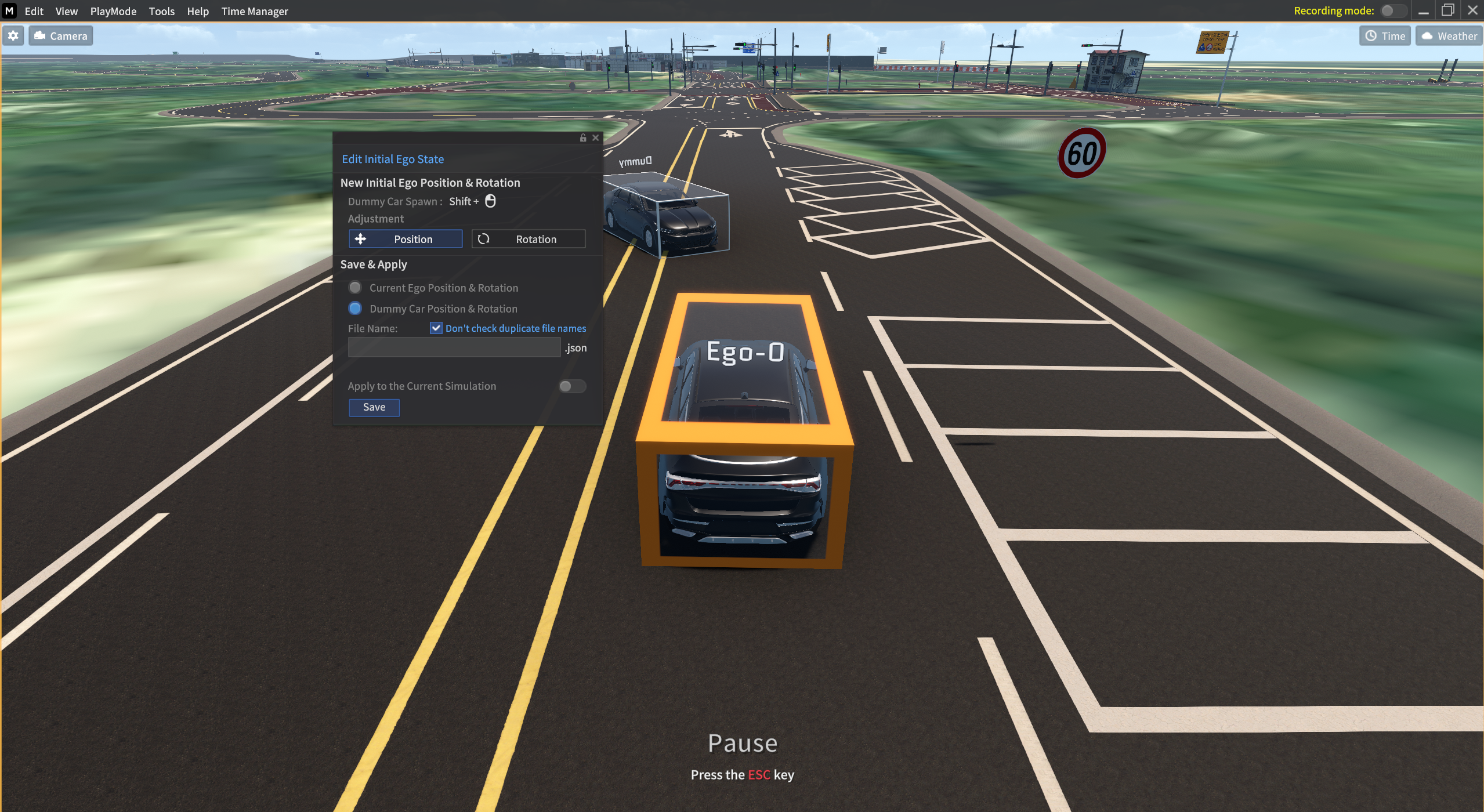
Dummy Car Position & Rotation 지정
3] Default Spawn Point 적용 후
2번까지 완료한 뒤, json. 파일로 저장한 뒤 불러오기 한 모습
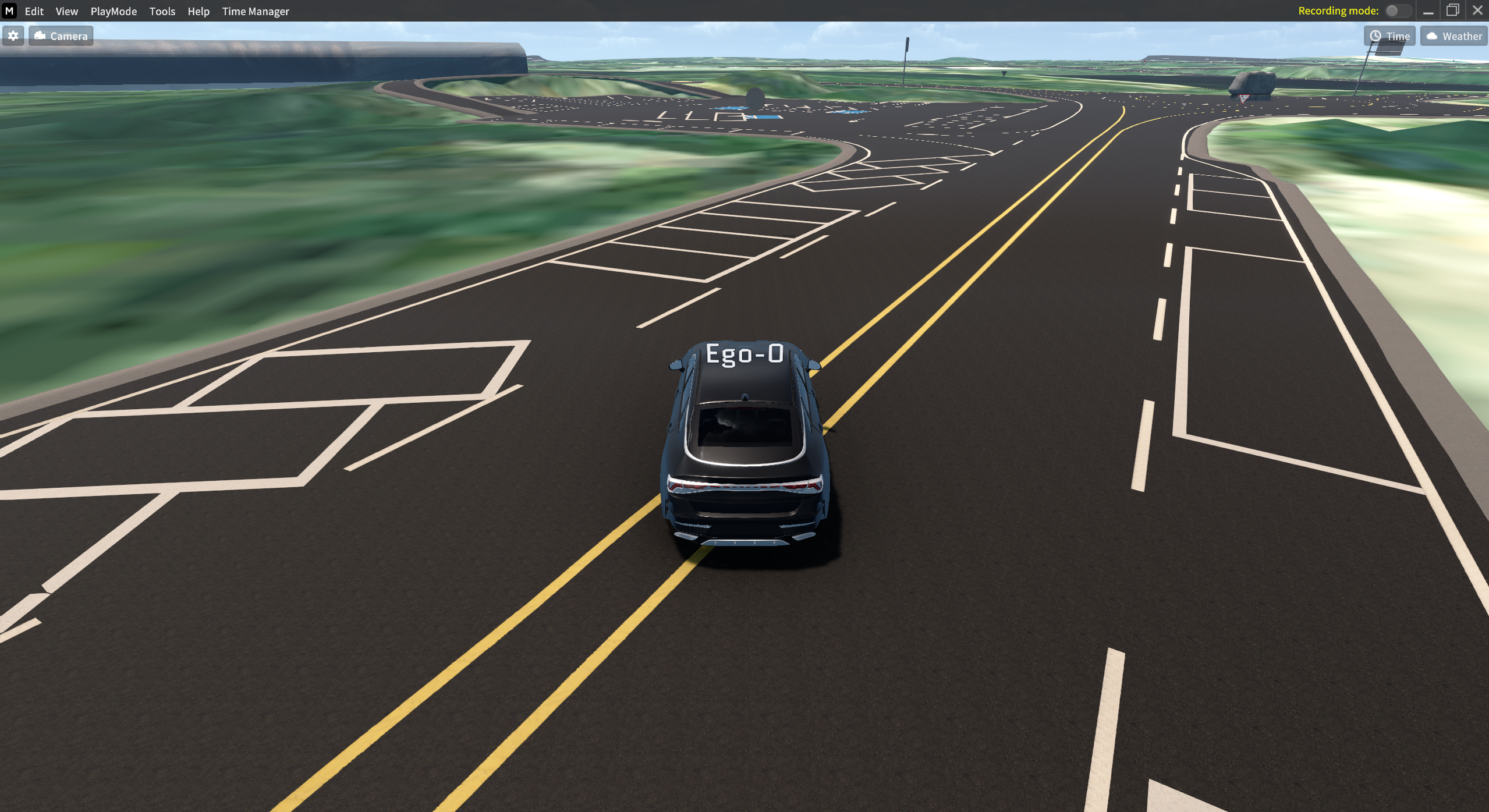
Default Spawn Point 적용 후 맵 진입 시 모습
저장/불러오기
설정해둔 Dummy 차량의 상태를 저장 및 불러오기 한 뒤, Ego Vehicle 의 위치와 방향으로 덮어쓸 수 있다.
해당 맵에 설정된 Ego Vehicle 의 초기 상태는 .json 파일로 저장된다.
Ego Vehicle 의 초기 상태 저장 시 바로 시뮬레이션 인스턴스에 적용할 수 있을 뿐만 아니라,
User 가 이전 “Ego Vehicle 의 초기 상태 파일” 을 불러와 이를 시뮬레이션 인스턴스에 적용할 수 있다.
1] 저장하기
Dummy 차량의 위치 및 회전 상태를 원하는 대로 변경한 뒤, File Name 을 작성한 뒤 Save 버튼을 누른다.
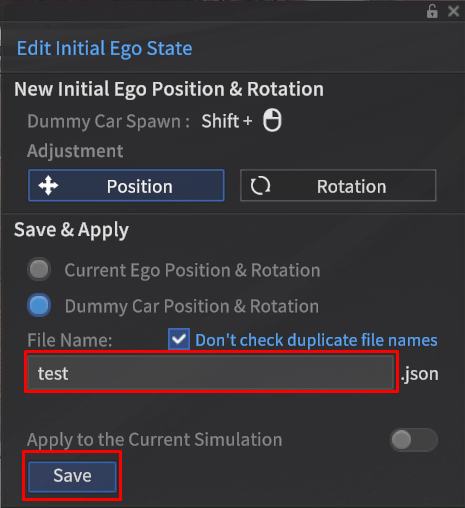

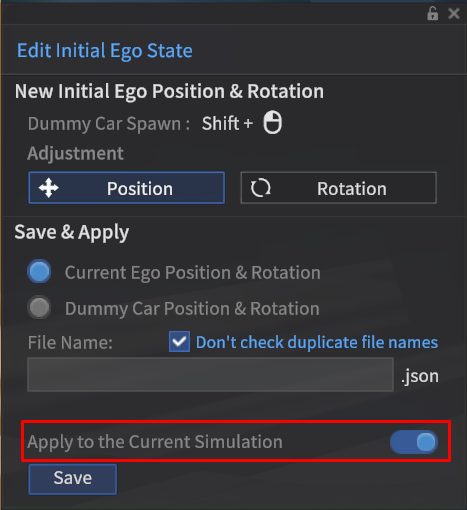
Apply to the Current Simulation 토글
Apply to the Current Simulation 토글을 활성화 한 상태에서 저장한 뒤 i 키를 누르면,
Ego-vehicle 에 바로 Dummy 차량의 설정이 덮어쓰기 된다.
2] 불러오기
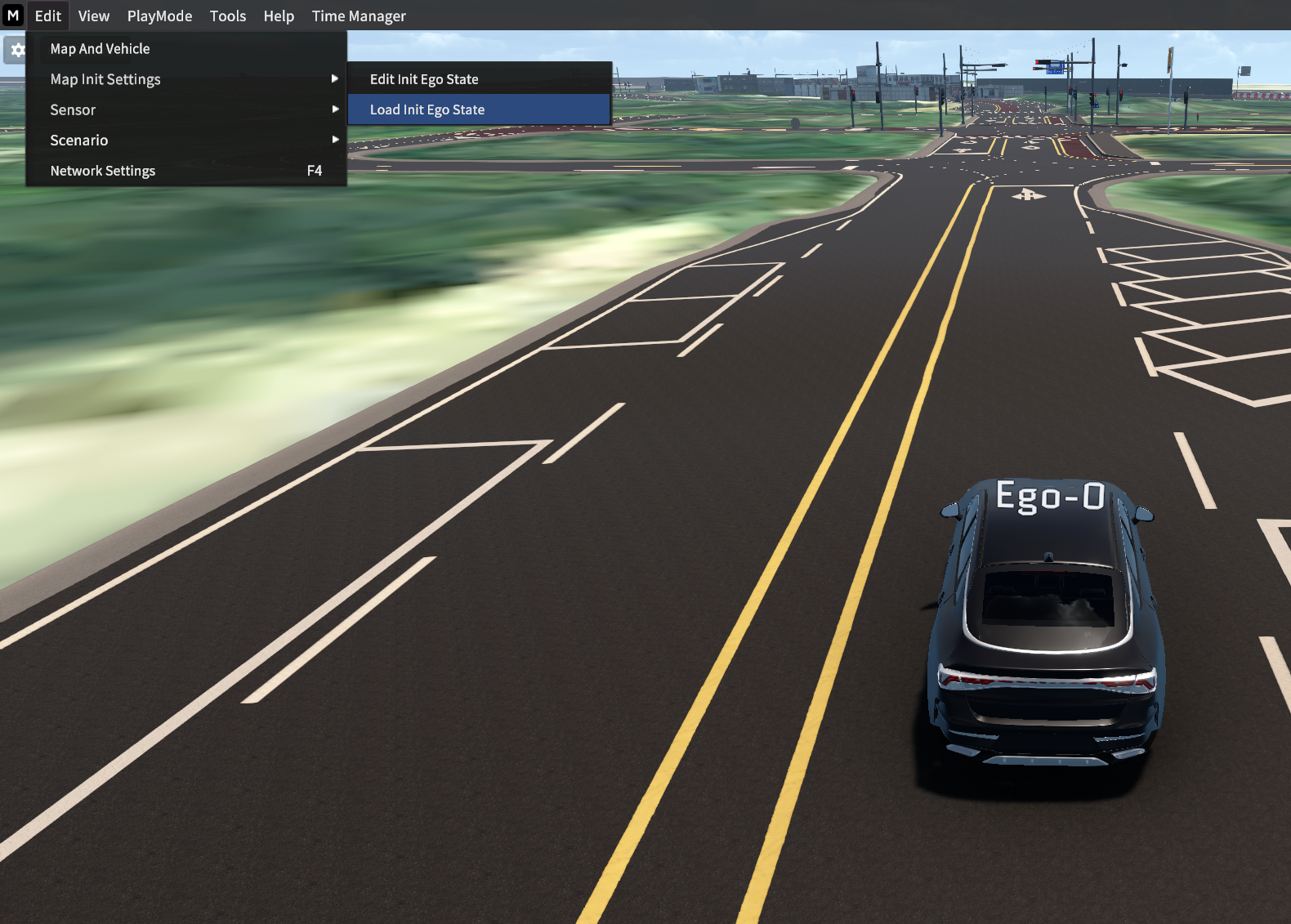
재 설정한 차량의 초기 상태를 불러오기 한다.
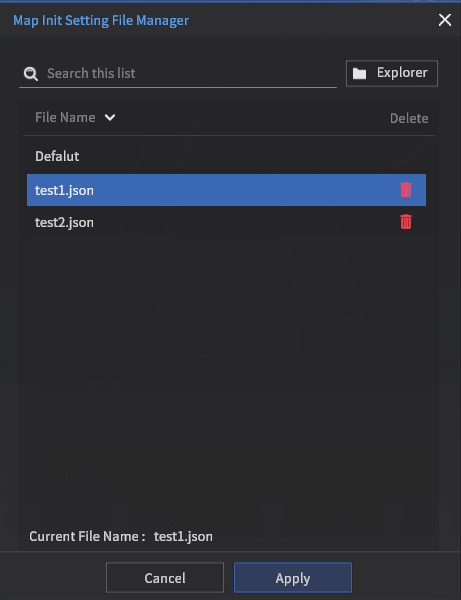
Edit > Map Init Settings > Load Init Ego State 클릭 후,
이전에 저장한 .json 파일을 Apply 버튼을 눌러 불러오기 한다.
Apply to the Current Simulation 토글 설정 여부에 따라,
재 설정한 차량의 초기 상태를 불러오는 방법은 아래와 같이 2가지가 있다.
Apply to the Current Simulation 토글 비활성화 상태에서 저장
Apply to the Current Simulation 토글 활성화 상태에서 저장
Apply to the Current Simulation 토글 비활성화 상태에서 저장

Load 한 뒤
i키
Apply to the Current Simulation 토글 활성화 상태에서 저장

Load 할 필요 없이 바로
i키
기존 초기 설정으로 돌아오기
재 설정한 차량의 초기 상태에서 다시 기존 Ego Init State 로 돌아오는 방법은 아래와 같이 2가지가 있다.
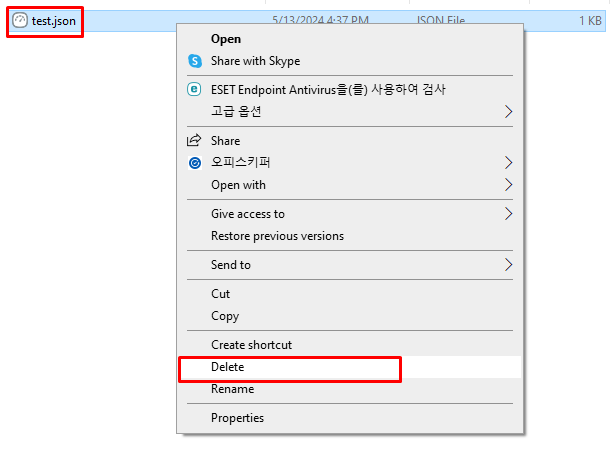
불러오기로 들어가서 저장한 json 파일 삭제 및 시뮬레이터 종료 후 동일한 map & vehicle 로 재 실행
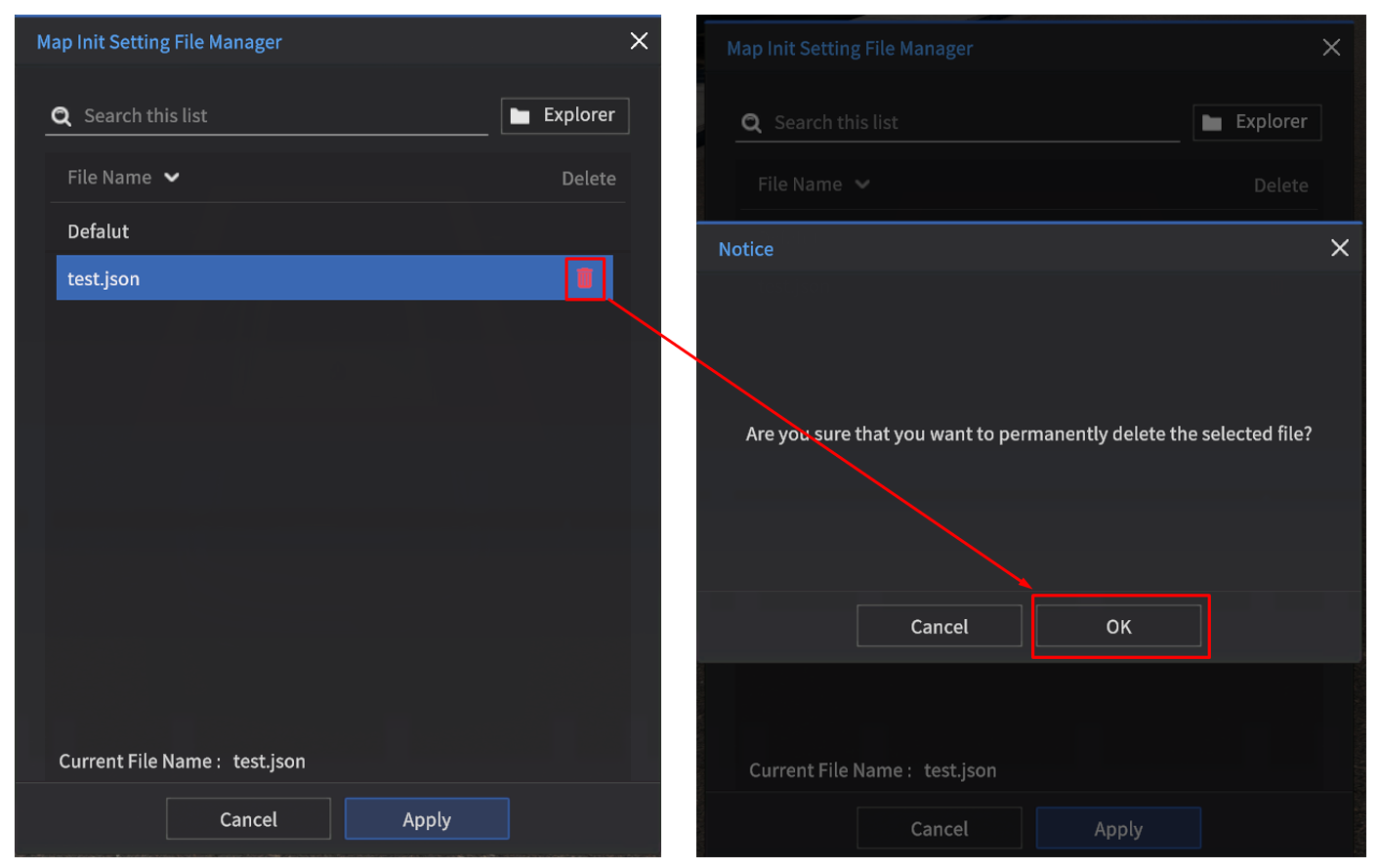
아래 경로의 file explorer 에서 해당 파일 삭제 후, 시뮬레이터 종료 뒤 동일한 Edit > Map And Vehicle 로 재 실행
경로: MoraiLauncher_Win\MoraiLauncher_Win\MoraiLauncher_Win_Data\SaveFile\MapInitSetting\맵이름