
[UDP] 통신 환경 구성

본 섹션의 예제는 시뮬레이터 K-city Map에서 진행한다
1. UDP 작업 환경 설정
파이썬 설치
권장 버전 : 3.7.5
파이썬 종속패키지 설치
(Window 환경)
pip install opencv-contrib-python
(Ubuntu 환경)
$sudo pip3 install opencv-contrib-python
2. Simulator 네트워크 세팅
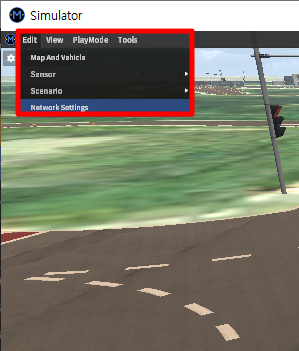
시뮬레이터 좌측 상단의 Network - Network Settings 클릭
IP 와 Port 번호 세팅 후 Apply 클릭
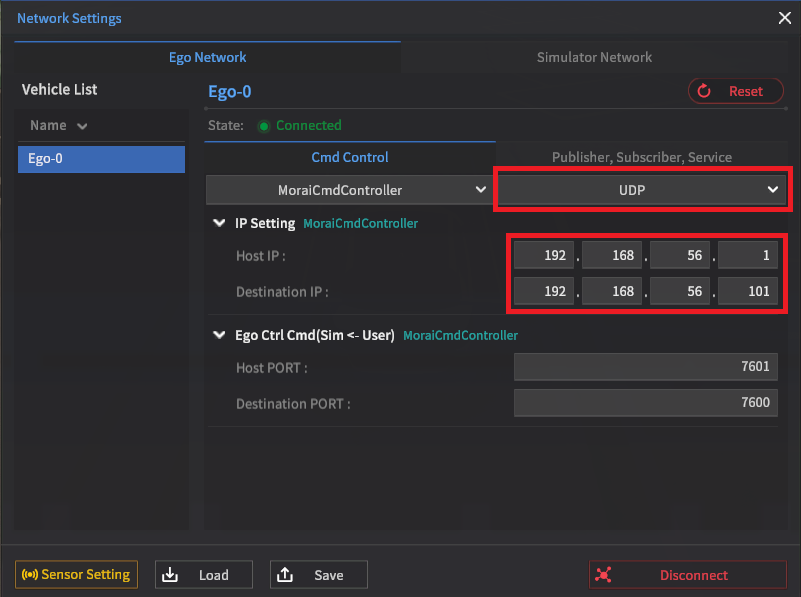
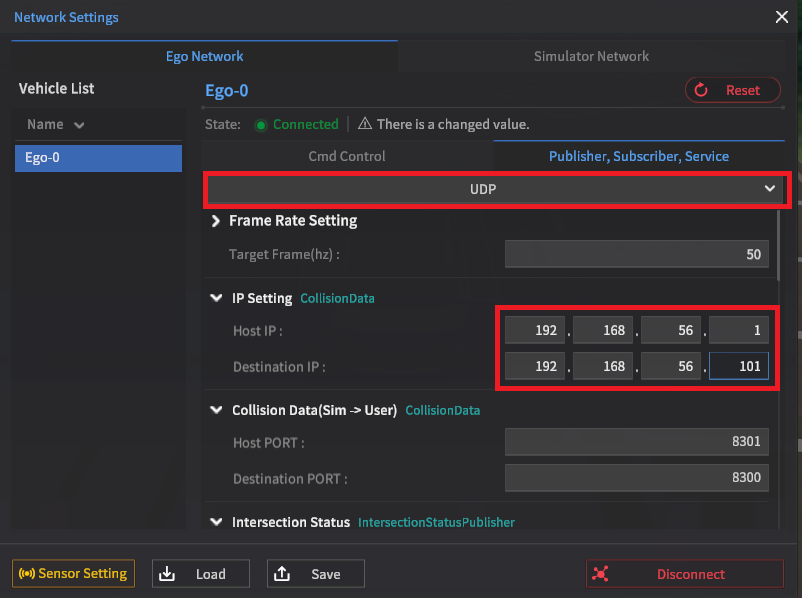
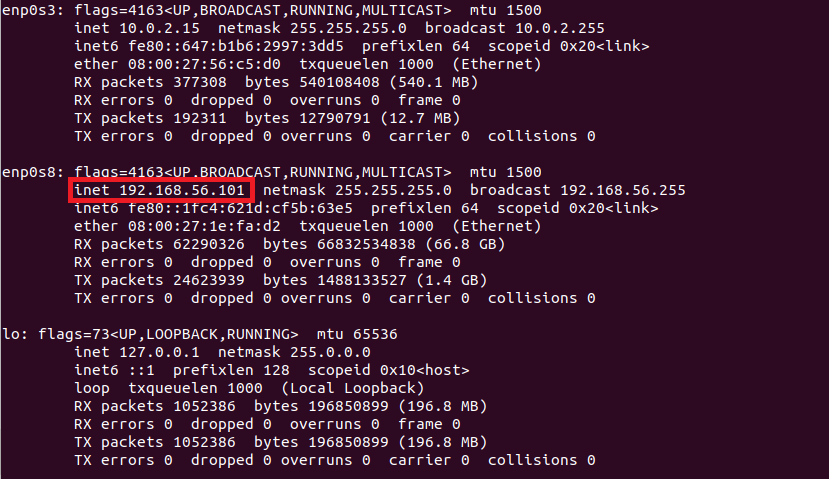
입력할 Bridge IP 는 터미널을 열어 확인
Window - Window (Local 환경)
Host IP : 127.0.0.1
Destination IP : 127.0.0.1
Window(시뮬레이터 실행) - Ubuntu(예제 코드 실행)
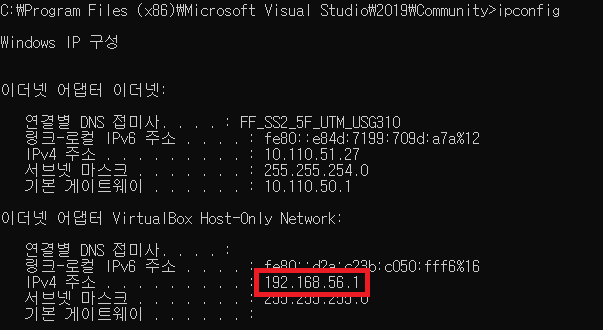
Window 터미널은 ipconfig Ubuntu 터미널은 ifconfig 를 입력
Host IP : 192.168.56.1
Destination IP : 192.168.56.101
시뮬레이터 조작 방법은 사용하기 페이지 참조